wx.showToast(OBJECT)
显示消息提示框
OBJECT参数说明(表8-54): 表8-54
| 参数 | 类型 | 必填 | 说明 |
|---|---|---|---|
| title | String | 是 | 提示的内容 |
| icon | String | 否 | 图标,只支持"success"、"loading" |
| duration | Number | 否 | 提示的延迟时间,单位毫秒,默认:1500, 最大为10000 |
| mask | Boolean | 否 | 是否显示透明蒙层,防止触摸穿透,默认:false |
| success | Function | 否 | 接口调用成功的回调函数 |
| fail | Function | 否 | 接口调用失败的回调函数 |
| complete | Function | 否 | 接口调用结束的回调函数(调用成功、失败都会执行) |
示例代码:
<button type="default" bindtap="toastTap">点击弹出toast</button>
toastTap: function () {
    wx.showToast({
      title: "确定",
      // icon: "success",
      // duration: 2000,
      // mask: true,
    })
  },
运行结果(图8-6):
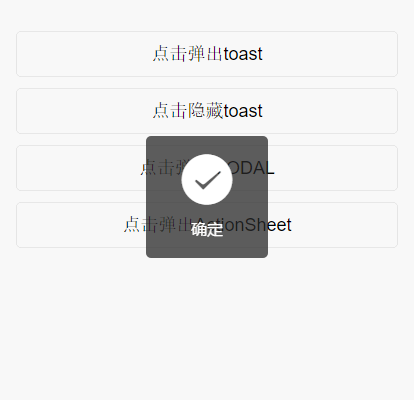 图8-6 Toast示意图